Project
LocalFile File Sharing
LocalFile is a simple and efficient file sharing solution for local networks.
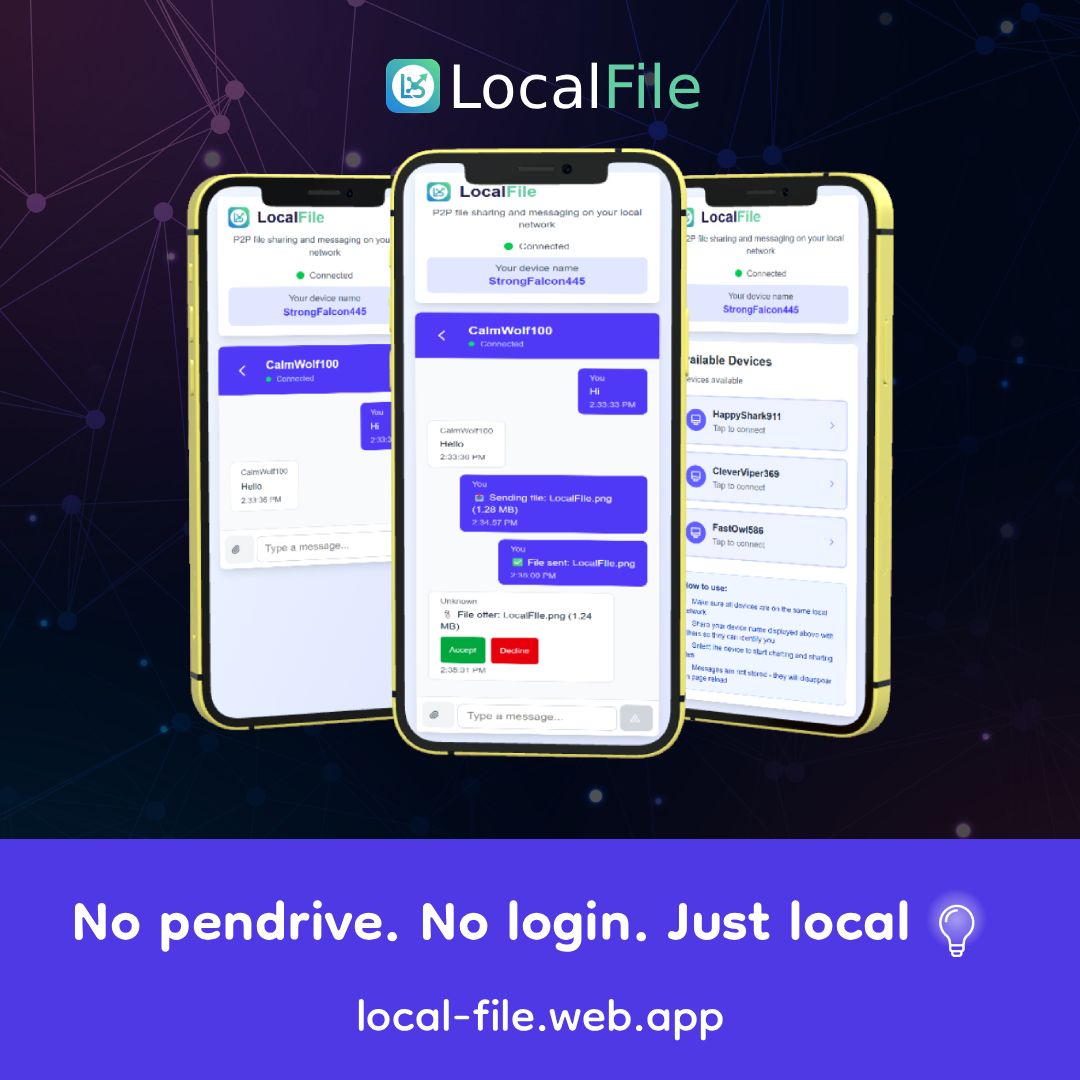
Local P2P Share
A Next.js-based peer-to-peer file sharing and messaging application for local networks.
Features
- 🔌 Device Discovery: Automatically discover devices on your local network
- 💬 Real-time Chat: Send instant messages to connected devices
- 📁 File Sharing: Share files of any size with other devices
- 🎭 Anonymous: No authentication required - just random device names
- 🔄 Ephemeral Messages: Messages are stored only in the UI and disappear on reload
- 🌐 Local Network Only: All communication happens within your local network
How It Works
- Each device gets a random generated name (e.g., "SwiftFalcon123")
- The application shows all available devices on your network
- Select a device to start chatting and sharing files
- Share your device name verbally so others can identify you
- Messages are broadcast in real-time but not persisted
- Files are transferred directly through the WebSocket connection
Getting Started
Prerequisites
- Node.js 18 or higher
- npm or yarn
Installation
- Clone or download this repository
- Install dependencies:
npm install
Running the Application
Start the development server:
npm run dev
The application will be available at http://localhost:3000
Using on Multiple Devices
- Make sure all devices are connected to the same local network
- Find your computer's local IP address:
- Windows: Run
ipconfigin Command Prompt - Mac/Linux: Run
ifconfigorip addrin Terminal
- Windows: Run
- On other devices, open a browser and navigate to
http://[YOUR_IP]:3000- Example:
http://192.168.1.100:3000
- Example:
Usage
Connecting to Devices
- Open the app on multiple devices on your local network
- Each device will show a list of other connected devices
- Click on a device name to start a conversation
Sending Messages
- Type your message in the input field
- Press Enter or click "Send"
- Messages appear instantly on both devices
- Note: Messages are not saved - reloading the page will clear all messages
Sharing Files
- Click the paperclip/attachment icon
- Select a file from your device
- The file metadata (name, size, type) is sent to the recipient
- Recipient sees a "Download" or "Cancel" button
- Click "Download" to save the file
- Click "Cancel" to reject the file transfer
Technical Details
Architecture
- Frontend: Next.js 15+ with React and TypeScript
- Backend: Custom Node.js server with Socket.io
- Styling: Tailwind CSS
- Real-time Communication: WebSocket (Socket.io)
File Transfer Process
- Sender selects a file
- File is read as ArrayBuffer
- Split into chunks (1MB each)
- Metadata sent first, then chunks sequentially
- Receiver collects chunks and reassembles
- File downloaded when complete
Data Storage
- Device Names: Stored in browser's localStorage (persists across sessions for the same browser)
- Messages: Stored only in React state (cleared on page reload)
- File Transfers: Temporary in-memory storage during transfer
Security Notes
⚠️ Important: This application is designed for trusted local networks only.
- No encryption is implemented
- No authentication system
- Anyone on your network can see your device and connect
- Files and messages are transmitted in plain text
- Use only on private, trusted networks
Browser Compatibility
Works on all modern browsers that support:
- WebSocket API
- File API
- LocalStorage API
Tested on:
- Chrome/Edge 90+
- Firefox 88+
- Safari 14+
Troubleshooting
Devices Not Showing Up
- Ensure all devices are on the same WiFi network
- Check if firewall is blocking port 3000
- Try refreshing the page
Connection Issues
- Verify the server is running (
npm run dev) - Check console for error messages
- Ensure WebSocket connections are not blocked by network settings
File Transfer Fails
- Very large files (>100MB) may have issues
- Check browser console for errors
- Ensure stable network connection
Customization
Change Port
Edit server.js and modify the port variable:
const port = 3000; // Change to your preferred port
Modify Device Names
Edit lib/deviceName.ts to customize the adjectives and nouns used for random names.
Adjust File Chunk Size
In components/ChatInterface.tsx, modify the chunkSize variable:
const chunkSize = 1024 * 1024; // 1MB (adjust as needed)
License
Contributing
Feel free to submit issues and pull requests!